
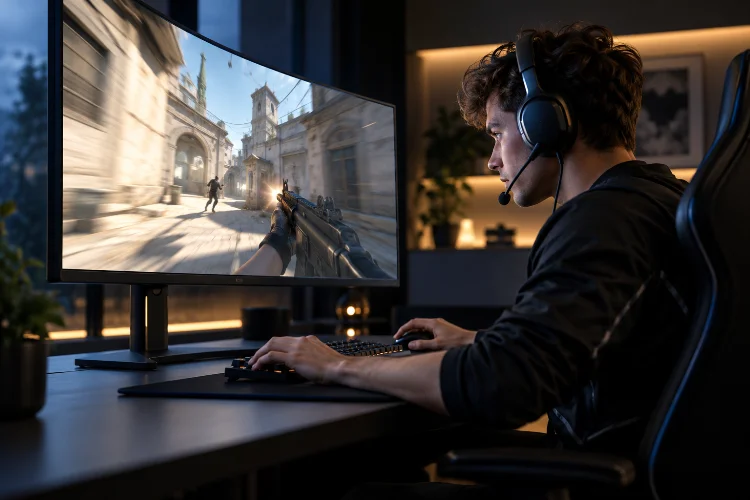
Imagine playing the final round of a professional Valorant tournament. Your team is one elimination away from victory, and suddenly, an opponent appears around the corner.
You move your crosshair, react almost instantly, and fire.
But something feels slightly off. Your opponent’s movement doesn’t look as smooth as expected, and your aim seems to lag behind what’s happening on the screen.
Could your monitor actually be affecting your performance?
Absolutely, although the relationship is more complicated than simply buying a screen with the highest refresh rate available.
In professional esports, tiny differences in visual feedback and system responsiveness can influence how players track opponents, adjust their aim, and react during intense engagements.
That’s why understanding how monitor refresh rates influence professional gaming precision has become increasingly important for competitive players.
From 60Hz displays to advanced 240Hz, 360Hz, and even faster gaming monitors, display technology continues to evolve.
But does a higher refresh rate automatically make someone a better player?
Not quite.
Let’s explore the science behind refresh rates, their impact on gaming accuracy, and how competitive players can optimize their equipment without wasting money on unnecessary upgrades.
1. Understanding Monitor Refresh Rates in Competitive Gaming
Before discussing gaming precision, we need to understand what refresh rate actually means.
A monitor’s refresh rate measures how many times its display updates each second. It’s expressed in hertz, commonly abbreviated as Hz.
For example, a 60Hz monitor can refresh its image 60 times per second, while a 240Hz display can refresh 240 times during that same period.
The difference becomes particularly important when you’re playing fast-paced competitive games.
Why Higher Refresh Rates Look Smoother
Think about watching a moving object through a sequence of photographs.
If you only see a few images every second, the movement appears jumpy. Increase the number of images, and the motion starts looking considerably smoother.
Gaming monitors operate on a similar principle.
A display refreshing more frequently can present new information at shorter intervals, making moving characters, camera rotations, and fast transitions easier to follow.
According to Intel’s guide to gaming refresh rates, the monitor, processor, and graphics card all contribute to achieving smooth high-refresh-rate gameplay.
This means owning a fast monitor is only one part of the equation.
Refresh Rate vs. Frames Per Second
One common misunderstanding involves confusing refresh rate with frames per second.
Although they’re closely related, these measurements describe different things.
Refresh rate represents how frequently your monitor can update its image. FPS describes how many frames your computer renders every second.
Imagine running Counter-Strike 2 at 300 FPS on a 60Hz monitor.
Your computer might generate hundreds of frames, but the display still operates at 60 refreshes per second.
Those extra rendered frames can still influence input freshness and latency, depending on synchronization settings, but they don’t make the screen physically refresh 300 times.
To fully appreciate a high-refresh-rate display, your gaming system needs sufficient rendering performance.
2. How Higher Refresh Rates Improve Motion Clarity and Target Tracking
One of the most important benefits of a faster gaming monitor is improved motion clarity.
In competitive shooters, opponents rarely remain stationary. They’re constantly moving between cover, changing directions, jumping, and challenging different positions.
The easier those movements are to follow, the better your opportunity to respond accurately.
Tracking Fast-Moving Targets
Imagine an opponent moving horizontally across your screen.
On a lower-refresh-rate display, their visible position updates less frequently. This can make tracking feel less continuous, especially during rapid movement.
A higher-refresh-rate monitor provides more frequent visual updates.
As a result, your eyes receive a smoother representation of the target’s movement, which can support more controlled mouse adjustments.
This matters particularly in games such as Apex Legends, Overwatch, and other titles featuring rapid directional changes.
However, smoother movement doesn’t automatically guarantee better aim.
Your ability to predict movement, maintain crosshair placement, and control mouse input remains essential.
Understanding Motion Blur
Another important factor is motion blur.
Most conventional LCD and OLED monitors operate using a sample-and-hold display method. Each image remains visible for a short period before the next refresh replaces it.
When your eyes track moving objects, this behavior can create perceived blur even if the pixels themselves respond extremely quickly.
Higher refresh rates reduce the time each image remains displayed, potentially improving perceived motion clarity.
The RTINGS analysis of monitor refresh rates explains that increasing refresh frequency can reduce persistence blur and make fast-moving content appear clearer.
That’s particularly useful when performing rapid camera movements.
Why Visual Consistency Matters
Professional players rely heavily on visual consistency.
When motion appears stable and predictable, it’s easier to build reliable aiming habits.
A display that frequently stutters or produces distracting visual artifacts can make precise adjustments more challenging.
But here’s something worth remembering.
Motion clarity depends on more than refresh rate alone.
Pixel response time, frame pacing, game performance, and monitor processing can all influence what you actually see.
3. The Connection Between Refresh Rate, Input Lag, and Aiming Precision
Refresh rate receives plenty of attention in gaming marketing, but input latency is just as important.
Input latency describes the delay between a player’s action and the corresponding visual response.
In competitive gaming, reducing unnecessary delays can make the entire experience feel more responsive.
Understanding Frame Intervals
Higher refresh rates shorten the time between consecutive screen updates.
Here’s how common refresh rates compare:
| Refresh Rate | Time Between Refreshes |
|---|---|
| 60Hz | 16.67 milliseconds |
| 120Hz | 8.33 milliseconds |
| 144Hz | 6.94 milliseconds |
| 240Hz | 4.17 milliseconds |
| 360Hz | 2.78 milliseconds |
| 500Hz | 2.00 milliseconds |
These values represent refresh intervals, not total system latency or guaranteed reaction-time improvements.
For example, moving from 60Hz to 144Hz reduces the interval between display updates by approximately 9.72 milliseconds.
Moving from 240Hz to 360Hz saves roughly 1.39 milliseconds per refresh interval.
The improvements become progressively smaller.
This is one reason why the upgrade from 60Hz to 144Hz generally feels more dramatic than moving from 240Hz to 360Hz.
How Latency Influences Precision
Picture a player attempting to flick toward an opponent.
Their mouse movement must travel through several stages before appearing on the screen.
The computer processes the input, prepares an updated game frame, renders it, and sends the resulting image to the display.
Any additional delay can influence how quickly the player receives visual feedback.
NVIDIA’s explanation of system latency separates this process into peripheral latency, PC latency, and display latency.
A faster monitor can help reduce the display-related portion, but it cannot eliminate delays elsewhere.
What Scientific Research Shows
The relationship between refresh rate and gaming performance has also been studied experimentally.
A 2026 study published in Social Sciences & Humanities Open examined 101 FPS gamers using 60Hz, 144Hz, and 360Hz display conditions.
Researchers found improvements in target accuracy and completion speed when moving from 60Hz to higher refresh rates.
Interestingly, performance differences between the 144Hz and 360Hz conditions were not statistically significant.
This doesn’t prove that faster displays are useless.
Instead, it suggests that the measurable benefits of additional refresh-rate increases become smaller as performance improves.
For serious competitors, the biggest gains might come from eliminating obvious bottlenecks before chasing extremely high specifications.
4. Comparing 60Hz, 144Hz, 240Hz, and 360Hz Gaming Monitors
Different refresh-rate categories offer different experiences.
Understanding these differences helps players decide which specifications actually match their competitive goals.
60Hz: Functional but Increasingly Limiting
A 60Hz monitor remains perfectly usable for everyday computing and many slower-paced games.
However, fast competitive shooters can expose its limitations.
Rapid camera movements may appear less fluid, and the longer refresh interval means visual updates arrive less frequently.
A player switching from 60Hz to a higher-refresh-rate display may notice smoother movement almost immediately.
Still, a skilled player using 60Hz can absolutely defeat a less experienced player using premium hardware.
Refresh rate influences the conditions under which you play, not your underlying talent.
144Hz: A Major Competitive Improvement
For many gamers, 144Hz represents an excellent balance between responsiveness, affordability, and system requirements.
The difference compared with 60Hz is often immediately noticable during rapid movement.
Mouse control feels more connected to onscreen action, and tracking opponents can become more comfortable.
For players transitioning from casual gaming to serious ranked competition, this is often a sensible upgrade target.
A reliable 144Hz display also avoids the need for exceptionally high frame rates.
That makes it practical for gaming systems that cannot consistently generate hundreds of frames per second.
240Hz: Designed for Serious Competitive Play
At 240Hz, screen updates happen approximately every 4.17 milliseconds.
This provides another improvement in display responsiveness compared with 144Hz.
Players who regularly compete in Valorant, Counter-Strike 2, or other reaction-sensitive titles may appreciate the additional smoothness.
However, the difference is considerably smaller than the jump from 60Hz to 144Hz.
A 240Hz monitor becomes most attractive when your system can consistently deliver high frame rates and your primary goal is competitive performance.
360Hz and Beyond: Marginal Gains at the Highest Level
Monitors operating at 360Hz, 500Hz, or higher push refresh intervals even lower.
These displays target enthusiasts, highly competitive players, and environments where small technical advantages matter.
But are the improvements measurable?
A 2026 research paper published in ACM Transactions on Multimedia Computing, Communications and Applications studied 44 participants using a custom FPS game at frame rates reaching 500 FPS.
The researchers found that performance improvements generally leveled off after approximately 90 FPS in their test conditions, although participants continued perceiving smoother gameplay at higher frame rates.
This is an important distinction.
Visual smoothness can keep improving even when objective performance gains become difficult to demonstrate.
The results don’t mean 90 FPS is universally sufficient for professional esports, but they do challenge the assumption that every refresh-rate increase produces a proportional improvement in accuracy.
5. Why Refresh Rate Alone Doesn’t Determine Gaming Performance
Buying a monitor with an impressive refresh-rate specification doesn’t guarantee exceptional visual performance.
Several additional display characteristics can influence how accurately and comfortably you play.
Pixel Response Time and Ghosting
Response time describes how quickly a display pixel changes from one color to another.
It’s different from refresh rate.
A 240Hz monitor might update its image frequently while still experiencing slow pixel transitions that produce visible trailing artifacts.
These artifacts are commonly called ghosting.
According to RTINGS’ monitor response-time testing guide, slow transitions can create blur, while overly aggressive pixel acceleration may cause inverse ghosting.
That’s why advertised response-time figures such as “1ms” shouldn’t be accepted without considering independent testing.
Real-world pixel performance varies between monitors, transitions, and operating modes.
Panel Technology Makes a Difference
Different monitor technologies offer different strengths.
Traditional TN panels have historically been popular for fast pixel transitions, although they can have limitations involving viewing angles and color reproduction.
Modern IPS panels often provide a compelling combination of image quality and gaming responsiveness.
OLED displays feature extremely fast pixel transitions, making them particularly effective at minimizing transition-related ghosting.
However, OLED monitors also have considerations involving price, brightness behavior, and long-term image retention.
The best panel depends on your priorities rather than one specification alone.
Variable Refresh Rate and Frame Stability
Even a powerful gaming computer experiences frame-rate fluctuations.
During intense combat, sudden effects and complex environments can cause FPS to drop.
Variable refresh rate, commonly called VRR, allows compatible monitors to adjust their refresh timing to better match frame delivery.
Technologies such as AMD FreeSync and NVIDIA G-SYNC can help reduce tearing and stuttering when configured appropriately.
Without synchronization, the screen may display portions of multiple frames during a single refresh.
This creates visible horizontal tearing.
Traditional V-Sync can reduce tearing, but depending on the configuration, it may introduce additional latency.
That’s why competitive players should evaluate synchronization settings instead of assuming one configuration works best for every system.
6. Optimizing Your Gaming Setup for Better Precision
Even the fastest monitor won’t deliver its full potential if the surrounding setup isn’t configured correctly.
Fortunately, several practical adjustments can improve consistency without requiring an expensive hardware upgrade.
Confirm Your Monitor’s Actual Refresh Rate
It sounds obvious, but some players purchase high-refresh-rate monitors without properly enabling their maximum supported setting.
A 240Hz monitor can still operate at a lower refresh rate if the operating system or connection is configured incorrectly.
Check your display settings and confirm the selected refresh rate.
On Windows, refresh-rate options are available through the advanced display settings.
Also verify that your display cable, connection type, resolution, and graphics hardware support the desired mode.
Don’t assume that plugging in a monitor automatically activates its highest available performance.
Prioritize Stable Frame Rates
Consistency matters just as much as peak FPS.
Imagine a game running at 280 FPS during quiet moments but dropping sharply during intense fights.
Those sudden changes can disrupt frame pacing and make aiming feel inconsistent.
For competitive games, reducing unnecessary graphics settings may help maintain smoother performance.
Monitor both average FPS and frame-time stability.
If your system struggles to maintain your preferred refresh-rate target, experiment with rendering settings or a carefully chosen frame-rate cap.
The optimal configuration depends on your hardware, game engine, and latency requirements.
Fine-Tune Display and Latency Settings
Monitor menus often include gaming-related options such as overdrive, motion blur reduction, and adaptive synchronization.
Experiment with these features one at a time.
An aggressive overdrive mode might appear faster on paper but create distracting inverse ghosting.
Similarly, some blur-reduction techniques can affect brightness, flicker, or compatibility with other display features.
For supported hardware and games, technologies such as NVIDIA Reflex can help reduce rendering-related latency.
However, changing multiple options simultaneously makes it difficult to identify which adjustment actually improves performance.
Keep your setup consistant and record the configurations that work best.
Pay Attention to Ergonomics
Technical performance is important, but physical comfort also influences long gaming sessions.
Position your display at a comfortable viewing distance, keep the screen properly aligned, and avoid unnecessary reflections.
A monitor positioned too far away may make small targets harder to recognize.
Sitting excessively close can also become uncomfortable, particularly during extended training sessions.
Your goal is to maintain clear visibility without unnecessary strain.
Once you’ve established a comfortable setup, avoid constantly changing your viewing distance or mouse sensitivity.
Building stable habits makes it easier to evaluate actual progress.
7. Turning Higher Refresh Rates Into Real Competitive Advantages
A high-refresh-rate monitor provides improved visual conditions, but converting those conditions into competitive performance still requires practice.
This is where many players misunderstand equipment upgrades.
They expect better hardware to automatically improve their aim without changing how they train.
Practice Tracking and Flicking Separately
Tracking involves keeping your crosshair aligned with a moving opponent.
Flicking involves moving quickly toward a target and stopping accurately.
Higher refresh rates can support both activities by providing more frequent visual feedback.
However, these skills involve different movement patterns and should be practiced individually.
For tracking, focus on controlled movements and predicting target direction.
For flicking, prioritize accuracy before attempting to increase speed.
A smoother display can make mistakes easier to observe, but correcting those mistakes still requires deliberate practice.
Build Better Visual Awareness
Competitive precision isn’t limited to mouse accuracy.
Players must also recognize movement, identify threats, and interpret changing situations.
A high-refresh-rate display can help present motion more smoothly, but it doesn’t replace map knowledge or tactical awareness.
Consider practicing target recognition while maintaining awareness of the surrounding environment.
In tactical shooters, this might involve clearing angles systematically instead of staring at a single position.
In faster arena games, it could involve tracking opponents while monitoring important ability effects.
The objective is to process visual information effectively rather than simply reacting to everything immediately.
Evaluate Your Performance Objectively
After changing monitors or display settings, evaluate whether your gameplay actually improves.
Use repeatable training scenarios, similar sensitivity settings, and comparable testing conditions.
Track performance indicators such as target accuracy, reaction consistency, and successful tracking attempts.
Try to recieve feedback from actual gameplay as well, including whether movement feels predictable and whether visual artifacts interfere with aiming.
Remember that training results can fluctuate because of fatigue, concentration, and familiarity with the exercises.
A single impressive aim-training score doesn’t prove that a new monitor made you substantially better.
Look for consistent patterns across multiple sessions.
Remember the Importance of Total System Latency
Research also suggests that refresh rate shouldn’t be considered independently from overall responsiveness.
A 2019 SIGGRAPH Asia study involving eight skilled esports athletes investigated refresh rate and latency as seperate factors.
The researchers found that reducing latency had a clear effect on task completion, while refresh-rate increases produced relatively smaller benefits when their associated latency reductions were controlled.
For competitive players, that means optimizing the complete system matters.
A responsive mouse, efficient rendering pipeline, stable frame delivery, low-latency display, and good practice habits should work together.
And of course, your internet connection and game-server conditions matter for online multiplayer performance, although network latency is distinct from local display latency.
The strongest competitive setup isn’t necessarily the one with the biggest number printed on the monitor box.
It’s the one that consistently provides clear, responsive visual feedback without unnecessary distractions.
Understanding how monitor refresh rates influence professional gaming precision helps players make smarter decisions about both equipment and training.
Higher refresh rates can improve motion smoothness, shorten display-update intervals, and make fast-moving opponents easier to follow.
However, refresh rate is only one component of competitive performance.
Pixel response time, total system latency, stable FPS, display configuration, and player skill all contribute to the final experience.
For many competitors, moving from 60Hz to 144Hz offers a meaningful improvement, while upgrades beyond 240Hz generally provide smaller benefits.
Before investing in expensive hardware, evaluate your current setup and identify its biggest limitations.
Ready to improve your gaming precision? Optimize your display settings, practice with clear performance goals, and choose equipment that genuinely supports your competitive ambitions.