
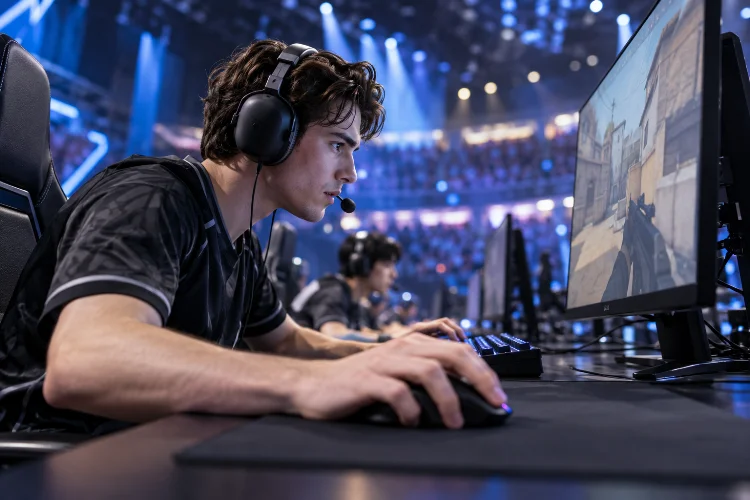
Imagine you’re playing the final round of a professional Valorant tournament. Your opponent suddenly appears around a corner, and both of you react almost simultaneously.
You click your mouse, expecting the perfect headshot.
But your opponent’s shot registers first.
Was their reaction time better? Did they anticipate your movement? Or could their gaming equipment have provided a small technical advantage?
The answer might involve all three.
In professional esports, milliseconds can influence competitive outcomes. Players constantly make rapid decisions, and the equipment connecting their movements to the game plays an important role in how responsive everything feels.
That’s why understanding how gaming peripheral performance impacts esports reaction time has become increasingly relevant for serious competitive players.
Gaming mice, mechanical keyboards, headsets, monitors, and even connection technologies can influence the timing and consistency of player inputs.
However, expensive equipment doesn’t automatically create faster reflexes.
The real advantage comes from reducing unnecessary delays while maintaining accurate, comfortable, and predictable controls.
Let’s explore how gaming peripherals affect competitive responsiveness, which specifications actually matter, and how to optimize your setup for better performance.
1. Understanding the Relationship Between Gaming Peripherals and Reaction Time
Before exploring individual devices, it’s important to understand what reaction time actually means in competitive gaming.
Human reaction time describes how long someone takes to respond after recognizing a stimulus.
For example, when an opponent suddenly appears on your screen, your brain must process that visual information before directing your hand to move or click.
However, the total delay experienced during gameplay involves more than human reflexes.
Human Reaction Time vs. System Latency
Imagine two players who recognize an opponent at exactly the same moment.
Both react with similar speed, but their gaming systems process inputs differently.
One player uses responsive equipment with minimal processing delays. The other uses a setup introducing additional mouse, rendering, and display latency.
Even with comparable human reaction times, their actions may become visible at slightly different moments.
According to NVIDIA’s explanation of system latency, end-to-end responsiveness involves several stages.
These include peripheral latency, game processing, rendering, and display latency.
Peripheral latency specifically describes the time required for an input device to process a physical action and communicate it to the computer.
This distinction matters because reducing equipment latency doesn’t necessarily improve your biological reaction speed.
Instead, it reduces the delay between your action and the game’s response.
Why Small Delays Can Matter
Competitive matches often involve players with similar mechanical skills.
At that level, small differences in responsiveness can sometimes influence the outcome of an engagement.
A delayed mouse click might cause a shot to register later than intended.
Similarly, slow keyboard input can affect movement timing, while delayed audio may postpone when important information reaches the player.
These differences aren’t always noticeable during ordinary gameplay.
However, consistently responsive equipment helps competitors perform without unnecessary technical interference.
2. How Gaming Mouse Performance Influences Aiming Speed
For competitive first-person shooters, the mouse is one of the most important pieces of equipment.
It translates physical hand movement into aiming adjustments, camera rotations, and firing actions.
A poorly performing mouse can introduce tracking inconsistencies, uncomfortable movement, or unnecessary input delays.
Mouse Click Latency and Shooting Responsiveness
Click latency describes how long it takes for a mouse button press to reach the computer.
This might sound insignificant, but tactical shooters depend heavily on precise firing timing.
Imagine holding an angle in Counter-Strike 2.
An opponent appears, you recognize the threat, and you immediately click.
A responsive mouse helps ensure that your input reaches the game with minimal additional delay.
RTINGS’ mouse click latency testing examines how quickly gaming mice register button presses using specialized measurement equipment.
Its testing highlights that modern gaming mice can achieve very low latency, including wireless models using dedicated USB receivers.
However, differences between already-fast gaming mice may be too small to noticeably affect real gameplay.
Optical Sensors and Movement Accuracy
Click responsiveness is only part of the equation.
Your mouse sensor must also translate physical movements accurately and consistently.
Imagine attempting to track an opponent moving rapidly across your screen.
If the sensor introduces unpredictable movement behavior, controlling your crosshair becomes more difficult.
Modern optical sensors generally offer excellent tracking performance, but quality can still vary between devices.
Important characteristics include tracking accuracy, sensor latency, lift-off behavior, and how consistently the mouse reports movement.
A reliable sensor makes it easier to build muscle memory because your physical movements produce predictable onscreen results.
Polling Rate and Input Frequency
Mouse polling rate describes how frequently a mouse reports information to the computer.
It’s measured in hertz.
Here’s how several common polling rates compare:
| Polling Rate | Reporting Interval |
|---|---|
| 125Hz | 8 milliseconds |
| 500Hz | 2 milliseconds |
| 1,000Hz | 1 millisecond |
| 2,000Hz | 0.5 milliseconds |
| 4,000Hz | 0.25 milliseconds |
| 8,000Hz | 0.125 milliseconds |
These values represent nominal reporting intervals, not total mouse latency or guaranteed improvements in human reaction time.
A higher polling rate can provide more frequent movement updates, potentially improving responsiveness and input smoothness.
However, higher isn’t always better in every situation.
According to RTINGS’ mouse sensor specifications guide, extremely high polling rates can increase CPU demands, and not all systems or games benefit equally.
For many competitive players, 1,000Hz already provides a responsive experience.
Moving toward 4,000Hz or 8,000Hz may offer smaller incremental improvements, depending on the entire setup.
3. How Gaming Keyboards Affect Movement and Ability Execution
While gaming mice control aiming, keyboards handle many other essential actions.
Movement, crouching, jumping, reloading, ability activation, and weapon switching frequently depend on keyboard input.
In high-pressure esports situations, the timing of those commands becomes extremely important.
Mechanical Switches and Actuation Points
Traditional mechanical gaming keyboards use switches that register input when a key reaches its actuation point.
Different switches require different amounts of movement and force.
A switch with shorter pre-travel may register a press earlier during the same finger movement.
However, shorter actuation doesn’t automatically make every player faster.
Some competitors prefer slightly deeper actuation because it reduces accidental keypresses.
The best configuration depends on the player’s habits, game genre, and preferred control style.
Rapid Trigger and Adjustable Actuation
Modern gaming keyboards increasingly use magnetic switches that support adjustable actuation and rapid-trigger functionality.
Rapid Trigger allows a key to reset based on its upward movement instead of requiring it to return to a fixed reset point.
This can be helpful during fast movement changes.
Imagine strafing left and right while trying to avoid enemy fire.
A keyboard that consistently registers repeated directional inputs can make movement feel more immediate and predictable.
RTINGS’ gaming keyboard testing evaluates how quickly physical keypresses reach the computer, considering switch behavior and keyboard electronics.
Its testing methods also account for settings such as debounce, actuation, and polling frequency.
Why Consistency Matters More Than Marketing Numbers
A keyboard advertised with extremely low latency might sound like an obvious competitive upgrade.
But laboratory measurements don’t tell the entire story.
A fast keyboard won’t help much if its switches feel uncomfortable or cause frequent accidental inputs.
Likewise, an unfamiliar layout can interfere with established movement habits.
Professional-level performance depends on both technical responsiveness and reliable execution.
Choose settings that feel consistant during extended practice rather than constantly chasing the most aggressive specifications.
4. The Role of Gaming Headsets in Competitive Reaction Time
When people discuss gaming peripherals, mice and keyboards usually receive the most attention.
However, headsets also influence how quickly players receive important information.
In competitive shooters, sound can reveal opponents who aren’t currently visible.
Footsteps, reloads, ability effects, and environmental cues can help players anticipate what happens next.
Audio Cues and Situational Awareness
Imagine defending a location in Valorant.
You hear footsteps approaching from your left, allowing you to prepare before the opponent enters your field of view.
Without that information, you might need to rely entirely on visual recognition.
Clear directional audio can help players identify threats and make earlier tactical decisions.
However, sound accuracy depends on game audio design, headset performance, stereo imaging, and individual hearing.
An expensive headset doesn’t guarantee perfect directional awareness.
Learning to interpret familiar game sounds is just as important.
Wired vs. Wireless Headset Latency
Wireless headsets introduce additional processing and transmission stages.
Depending on the connection, those stages can create audible delays.
Standard Bluetooth connections often introduce more latency than wired headphones or dedicated low-latency wireless gaming systems.
According to RTINGS’ wired versus wireless headphones analysis, gaming headsets using dedicated 2.4GHz USB transmitters generally offer lower latency than conventional Bluetooth connections.
This makes connection technology an important consideration for competitive gaming.
However, modern low-latency wireless headsets can still provide excellent performance.
Microphone Clarity and Team Reactions
A headset’s microphone doesn’t directly improve your reflexes.
However, it can influence how efficiently your team communicates.
Imagine a teammate warning you that an opponent is approaching from behind.
If their communication is unclear, you might misunderstand the callout or react too late.
Clear voice communication helps teammates coordinate rotations, prepare crossfires, and respond to unexpected situations.
In team-based esports, responsiveness isn’t purely an individual characteristic.
It also depends on how quickly useful information moves between players.
5. Wired vs. Wireless Gaming Peripherals: Which Performs Better?
For years, competitive gamers generally preferred wired peripherals.
The reasoning was straightforward: physical connections were considered more reliable and responsive.
However, wireless gaming technology has improved significantly.
Today, the wired-versus-wireless debate requires a more nuanced explanation.
Modern Wireless Gaming Mice
High-quality wireless gaming mice commonly use proprietary USB receivers instead of standard Bluetooth connections.
These receivers are designed to deliver fast and stable communication.
Independent latency testing shows that many modern wireless gaming mice perform comparably to wired alternatives.
This means wireless technology shouldn’t automatically be considered unsuitable for serious esports.
A well-designed wireless mouse can offer excellent responsiveness while eliminating cable drag.
That freedom can be particularly helpful for players using low mouse sensitivity and large arm movements.
Connection Stability and Interference
Wireless performance still depends on connection quality.
Receiver positioning, nearby interference, battery condition, and device-specific implementation can influence consistency.
For example, placing a wireless receiver far from the mouse or behind a metal computer case may create unnecessary connectivity problems.
Using a receiver extender can sometimes improve signal conditions.
Players should also avoid switching randomly between Bluetooth and proprietary wireless modes without understanding their performance differences.
Choosing Based on Real Performance
The most practical approach is to evaluate measured latency, comfort, reliability, and battery life.
A wired mouse may be attractive for players who never want to think about charging.
A wireless model might provide greater freedom of movement.
Neither connection guarantees superior competitive results.
What matters is choosing equipment that delivers stable performance throughout an entire match.
A reliable, comfortable device is often more valuable than a technically faster alternative that constantly creates distractions.
6. Why Total System Optimization Matters More Than Individual Devices
One of the biggest mistakes competitive players make is focusing exclusively on one peripheral.
They might purchase an expensive gaming mouse while ignoring display latency, inconsistent frame rates, or poorly configured software.
Unfortunately, overall responsiveness depends on the entire gaming system.
Understanding the Input-to-Display Pipeline
Imagine clicking your mouse to fire.
The mouse processes the input and sends it to your computer.
The game interprets the command, updates its internal state, and produces a new frame.
Your graphics hardware renders that frame, and your monitor eventually displays the result.
Each stage contributes to the delay between physical movement and visible feedback.
This explains why a fast gaming mouse cannot compensate for every other technical bottleneck.
Monitor Refresh Rate and Frame Timing
A high-refresh-rate monitor can display visual updates more frequently.
For reference, a 60Hz monitor refreshes approximately every 16.67 milliseconds, while a 240Hz display refreshes approximately every 4.17 milliseconds.
These are display-update intervals rather than complete system response times.
Higher refresh rates can reduce opportunities for waiting between visual updates and improve motion smoothness.
However, actual performance also depends on stable FPS, pixel response time, rendering latency, and synchronization settings.
An expensive 360Hz display won’t reach its full potential if the computer struggles to generate frames efficiently.
What Research Says About Gaming Latency
A 2019 study presented at SIGGRAPH Asia investigated how latency and refresh rate affected first-person targeting performance.
The researchers tested eight skilled esports players using controlled aiming tasks.
They found that reducing latency produced clear improvements in task completion time, while increasing refresh rate alone offered relatively smaller benefits when its associated latency reduction was controlled.
The study involved a small sample and specific laboratory tasks, so its findings shouldn’t be treated as universal predictions for every esport.
Still, it illustrates an important principle.
Lower overall latency can be more valuable than focusing on a single impressive specification.
Software Settings Also Matter
Hardware isn’t the only source of responsiveness problems.
Graphics settings, background applications, driver configurations, and frame pacing can influence how a game feels.
For example, unstable frame rates may create inconsistent visual feedback even when a gaming mouse performs exceptionally well.
Supported latency-reduction technologies, such as NVIDIA Reflex, can help optimize the rendering pipeline in compatible games.
However, there is no universally perfect configuration.
The ideal settings depend on the game engine, graphics hardware, display, and player priorities.
7. How to Optimize Gaming Peripherals for Faster Competitive Responses
Understanding technical specifications is useful, but applying that knowledge is what makes a practical difference.
Fortunately, improving your gaming setup doesn’t always require purchasing new equipment.
Sometimes, small configuration changes can provide a more reliable experience.
Start With Your Existing Hardware
Before upgrading, review how your current peripherals are configured.
Check whether your mouse is using its intended polling rate and whether any power-saving modes affect performance.
If you’re using a gaming keyboard with adjustable actuation, experiment with settings that balance responsiveness and control.
Confirm that your monitor is operating at its desired refresh rate.
Also check whether your wireless devices have stable connections and sufficient battery levels.
A poorly configured premium setup can perform less reliably than a properly configured midrange system.
Match Mouse Settings to Your Playing Style
Mouse sensitivity is another important factor.
Very high sensitivity allows rapid camera movement but can make small corrections difficult for some players.
Lower sensitivity may offer greater physical control while requiring more desk space and arm movement.
There is no single perfect sensitivity for every competitor.
Experiment with settings that let you perform both precise aiming adjustments and comfortable turns.
Once you’ve found a suitable configuration, avoid changing it constantly.
Building stable movement habits requires repeated practice.
Improve Ergonomics and Physical Comfort
Comfort also deserves attention.
A mouse that doesn’t fit your hand can make controlled movement more difficult during long gaming sessions.
Similarly, awkward keyboard placement may interfere with natural wrist and finger positioning.
Position your equipment so you can move comfortably without excessive tension.
Make sure your chair, desk height, monitor distance, and available mouse space support a relaxed playing posture.
These changes won’t magically improve biological reaction speed, but they can support better control and reduce unnecessary fatigue.
Test Your Performance Objectively
If you upgrade a peripheral, try evaluating its effects under repeatable conditions.
For example, perform the same aiming exercises across several sessions while keeping your sensitivity and game settings unchanged.
Track target accuracy, completion time, and consistency.
Avoid judging performance based on a single unusually good result.
Sleep, stress, warm-up routines, and practice familiarity can all influence outcomes.
A more reliable approach involves comparing multiple sessions before and after a change.
You might discover that a new mouse offers a noticable improvement in comfort without significantly changing measured reaction time.
That’s still a useful result.
Avoid the Endless Hardware Upgrade Cycle
It’s easy to become obsessed with increasingly impressive specifications.
One month, you’re researching 4,000Hz mice. The next month, you’re considering an 8,000Hz model or a keyboard with even shorter actuation.
But technical improvements often produce diminishing returns.
Once your setup already provides low latency and reliable tracking, practice quality may matter considerably more than additional hardware upgrades.
Professional players develop their performance through thousands of decisions, repeated movement patterns, and tactical experience.
Equipment helps those skills translate into gameplay.
It doesn’t replace them.
The best approach is to prioritize your largest limitations first, whether those involve unstable connections, uncomfortable equipment, inconsistent settings, or mechanical weaknesses.
And remember to recieve feedback from your actual gameplay rather than relying exclusively on marketing claims.
Understanding how gaming peripheral performance impacts esports reaction time can help competitive players make smarter decisions about their equipment and training.
Responsive gaming mice, reliable keyboards, low-latency headsets, and properly configured displays all contribute to a smoother competitive experience.
However, faster peripherals don’t automatically create faster human reflexes.
Their main advantage comes from reducing technical delays and improving the consistency of player inputs.
The most effective gaming setup combines reliable hardware with stable system performance, comfortable ergonomics, and deliberate practice.
Before investing in another expensive upgrade, evaluate your current equipment and identify where genuine improvements are possible.
Ready to sharpen your competitive edge? Optimize your peripherals, test your performance, and focus on building the skills that turn responsive equipment into better gameplay.